Printastic
Cart

2x10 Banners

2x10 banners

Banner Type

2 x 10
see all sizes
Material
Hemming
Grommets
Quantity
$65
Estimate Delivery
Free shipping on orders over $100 With Code: Awesome
Metrics
Size (Metric)
  • 2 x 10 feet
  • 24 x 120 inches
  • 60.96 x 304.8 cm
Weight (Approx)
  • 13oz 1.81 lbs
  • 18oz 2.73 lbs
  • Mesh 1.02 lbs
Layout
  • Landscape (Horizontal)
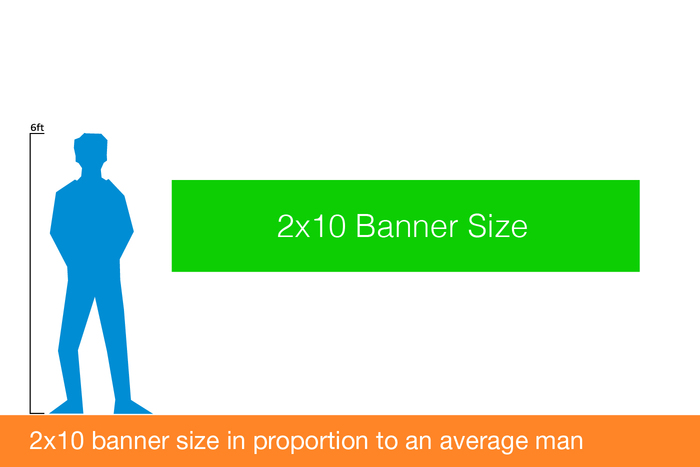
  • 2ft. high by 10ft. long
  • See Portrait (Vertical) version
Shipping
  • Shipped rolled in a tall box
  • Banners are never folded
Printing
  • High resolution
  • Full color latex printing
  • 1000 dpi photo quality mode
  • Print is UV & weather proof
  • Completely Odorless

2x10 Banner Pricing and Materials

2x10 is the biggest banner we print and is perfect for those large outdoor banners business retailers use. It is the same size as a 2x10 plywood or drywall sheet for a good solid backdrop and measures a full 48x96 inches.
2x10 banners are our second longest thinnest banners. The fact that these banners measure a printable width of ten feet, but are only 2 feet in height, they definitely have the perception of looking extra thin. For advertising applications where we suggest using a thin banner like our 2x10 sized banner, we highly suggest that you use mostly a single text message on your ad design. Although you can use colorful graphics, we would suggest any graphics to be a background only to ensure your general text message is able to clearly stand out. By default we finish these 10 foot banners with heat welded hems and install mounting grommets on them to ensure you are able to easily install these 2x10 signs. However, you have other ideas for installing your banners in mind and do not want us to finish your banners with hems and grommets, please be sure to let us know you do not want these finishing options at the time you place your order.
See the all sizes
banner pricing and materials

2x10 Banner Types

Banner

13oz Vinyl

Starting at $65
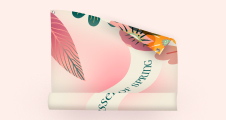
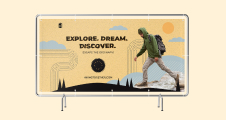
Most popular choice for promotional banners, these regular duty vinyl banners printed on 13oz bright white vinyl in matte or gloss finish and suitable for indoor and outdoor use for up to 2 years with proper care.
Banner

18oz Vinyl

Starting at $65
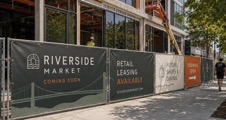
A go to choice for banners to replace or compliment permanent signage, these heavy duty banners printed on thick matte heavy duty 18oz vinyl are suitable for extended outdoor use for up to 3 years with proper care.
Banner

Mesh Vinyl

Starting at $95
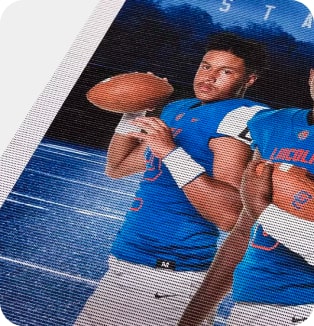
These 8oz mesh banners are perforated with a micro hole pattern to allow the wind, light and sound through. They are a perfect solution for locations with high winds or with a requirement for partial transparency.
Banner

18oz Pole Pocket Vinyl

Starting at $80
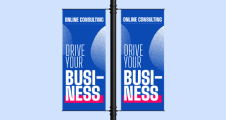
Printed on smooth lay flat 18oz vinyl, these banners come with clean cut edges and 4-inch pockets installed on top/bottom, left/right or top only, making perfect signage wherever pole installation is required. Pockets accept 2-inch round poles (poles not included).
Banner

18oz Double Sided Vinyl

Starting at $100
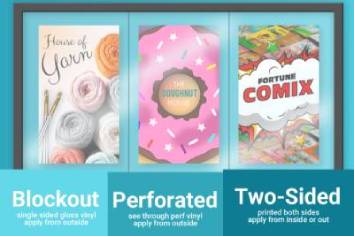
These banners are printed on non transparent 18oz vinyl on both sides with either same or different image with clean cut edges. The highly opaque blockout layer insures no see through or image ghosting from side to side. Options include pole pockets.

2x10 Banner File Setup

Dimensions

Pixel Dimensions

  • at 72dpi - 3456x6912 pixels
  • at 100dpi - 4800x9600 pixels
  • at 150dpi - 7200x14400 pixels
  • at 300dpi - 14400x28800 pixels
As a general rule, the more detailed your artwork is, the higher DPI (pixel count) it should to be. For pictures and photographs, lower pixel/dpi counts are fine (72-100dpi). For text rich artwork, and for files with lots of details such as logos, maps, menus, etc, use higher pixel/dpi count (150-300dpi).
72 dpi is the minimum resolution we would recommend for printing, and the 300 dpi for the maximum resolution.

Adobe Illustrator

Adobe Illustrator

(Also applies to all Vector files)
  • Set up canvas to be 24” x 120” in inches (or 1/2 scale if necessary)
  • Regular RGB, sRGB color space, or Regular CMYK
  • Embedded raster images should be at least 100dpi at actual size
  • Embed all raster images
  • Convert all text to outlines
  • Expand all strokes
  • Save as a pdf file
Adobe Photoshop

Adobe Photoshop

(Also applies to all Raster Files)
  • Set up artboard to be 24” x 120” in inches (or 1/2 scale if necessary)
  • Set dpi to be anywhere from 100 to 300 dpi
  • Regular RGB or sRGB color space
  • Save as 100% quality jpeg file
File Templates